SharePoint Storage Analysis
A clear picture of what takes up storage in SharePoint, where it is and how much can be freed up.
Screens
Exact copies of the module design with sample data.
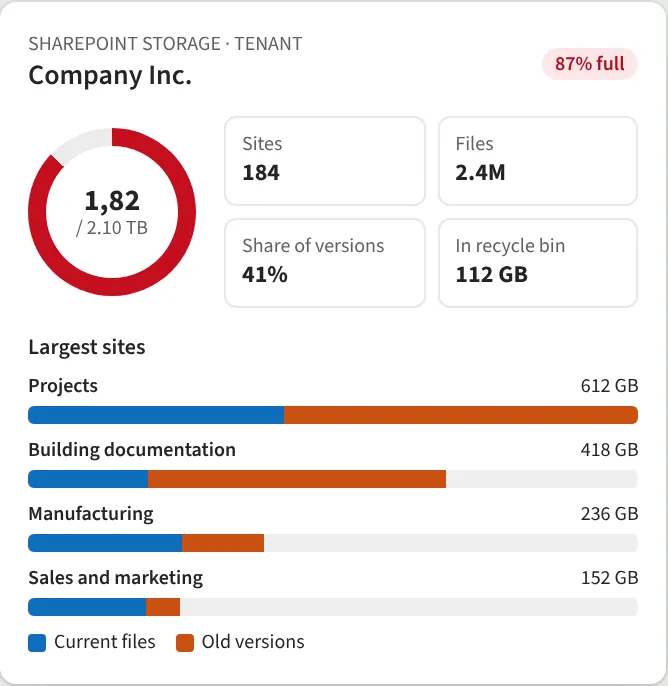
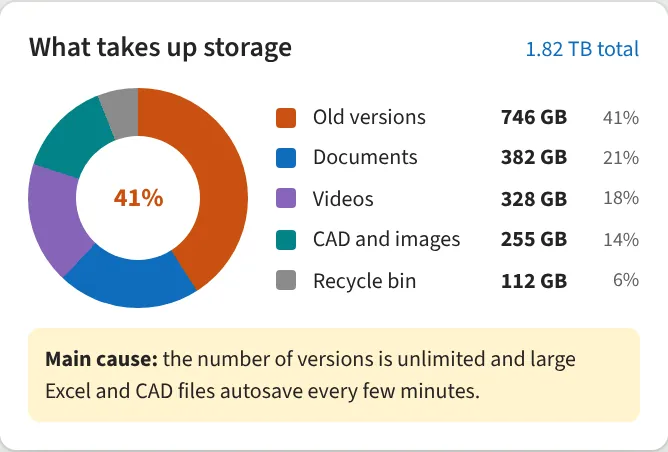
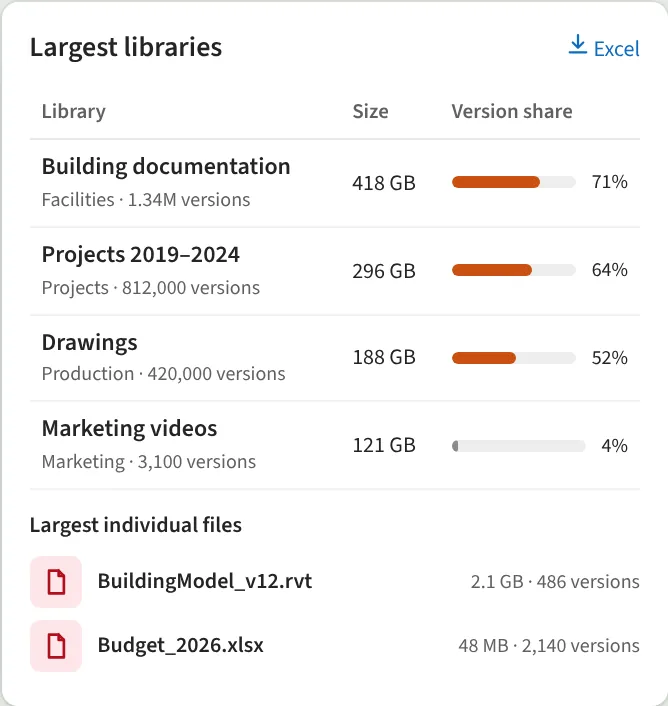
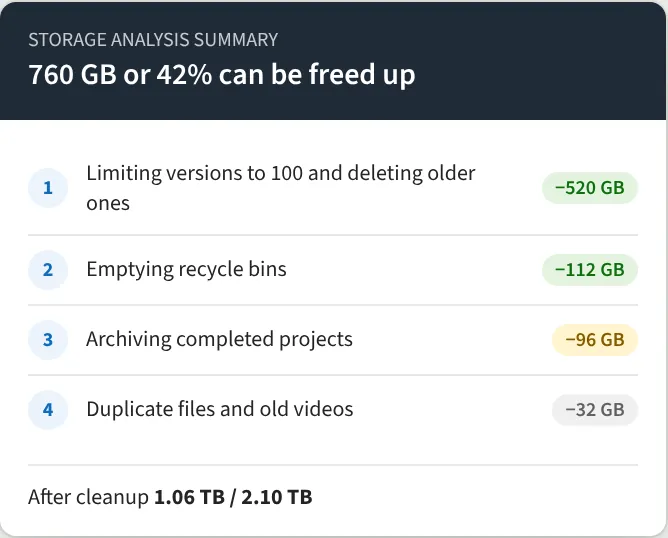
We go through every site, library and file and separate current files, old versions, videos, CAD files and recycle bins. The result is a report showing the largest sites, libraries and individual files, plus a concrete proposal of how much storage each step frees up. It often turns out there is no need to buy extra storage at all.
What we do
- Storage by site, library and file
- Current files vs old versions
- File types: documents, videos, CAD, images
- Largest libraries and individual files
- Recycle bin storage
- Summary with potential savings
- Report in Excel or Power BI
We reply within one business day.
Request a demo
Tell us a little about your organisation and we will show SharePoint Storage Analysis live in your own context.
hello@westlume.com