Archiving Logic
Completed projects and old files move to cheaper archive storage while staying searchable and restorable.
Screens
Exact copies of the module design with sample data.
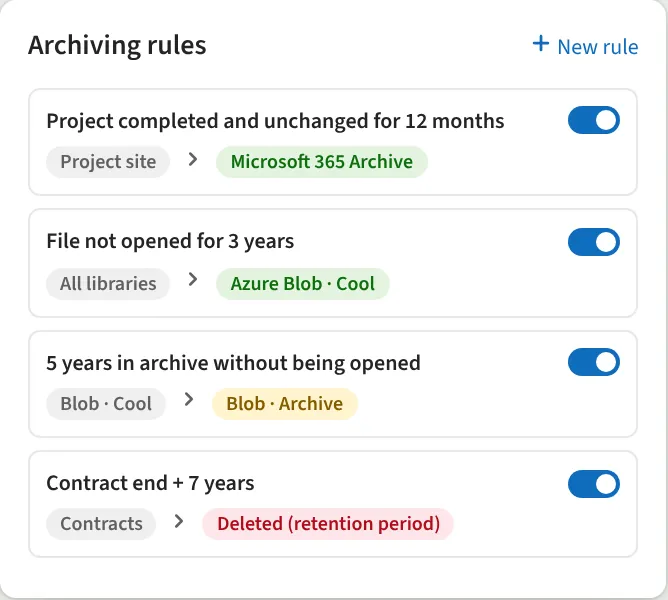
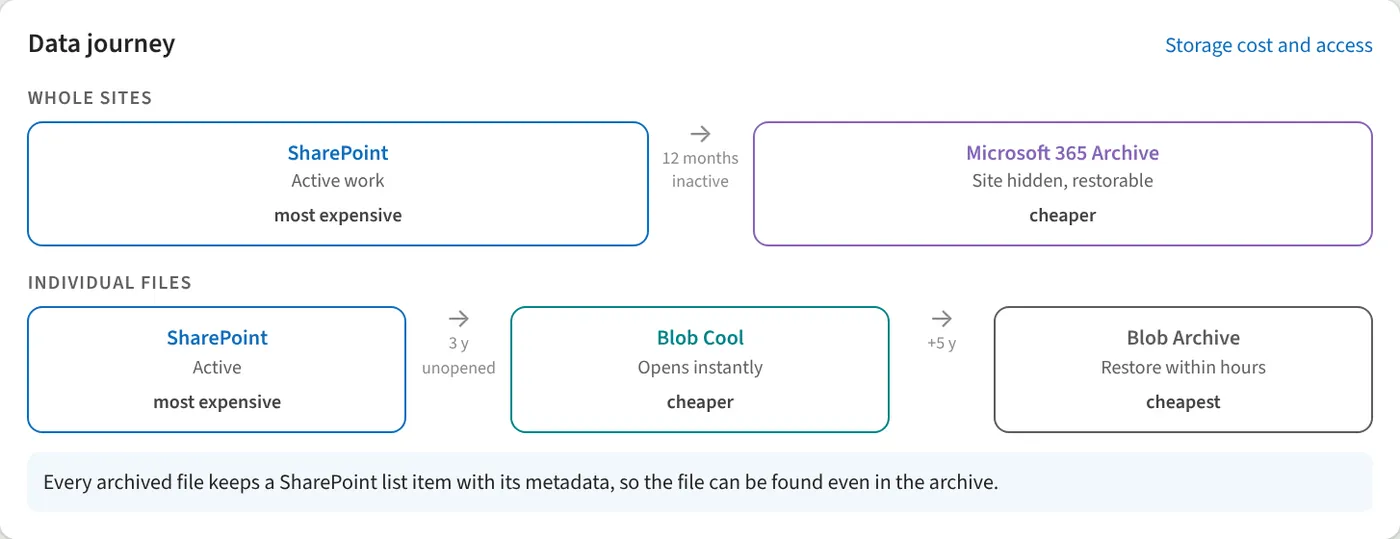
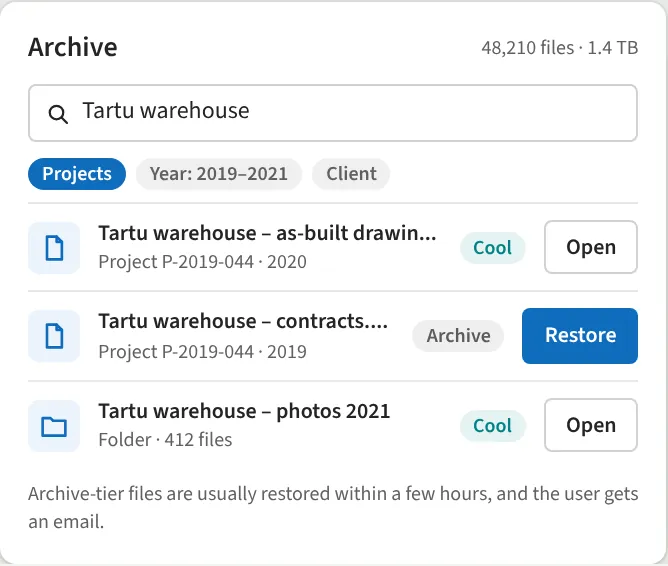
We set up rules that decide when a site or file moves to the archive and when it is deleted at the end of its retention period. Whole sites move to Microsoft 365 Archive, individual files to the Cool and Archive tiers of Azure Blob Storage. Every archived file keeps a SharePoint record with its metadata, so users can find the file and restore it when needed.
What we do
- Rules by age, last opened date or project status
- Whole sites to Microsoft 365 Archive
- Files to Azure Blob Storage (Cool and Archive)
- Archive search by metadata
- One-click restore
- Retention periods and deletion
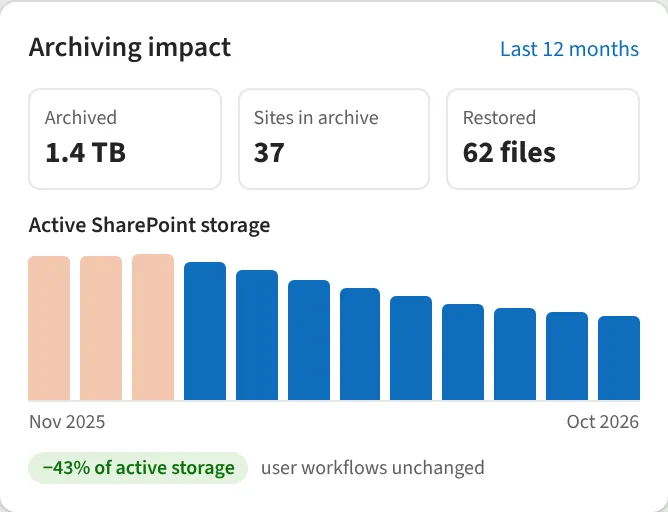
- Overview of archived storage
We reply within one business day.
Request a demo
Tell us a little about your organisation and we will show Archiving Logic live in your own context.
hello@westlume.com